Hours nobody billed
Extra scope gets delivered. The hours never make it onto an invoice.
From signed contract to final payment: drawings, changes, and money move in one connected flow instead of five separate spreadsheets.
See how it worksExtra scope gets delivered. The hours never make it onto an invoice.
A transmittal sits with the client for weeks. An RFI goes unanswered.
Drawing log, RFI, ECN, and billing each live somewhere else.
None of these losses are visible in the moment. They surface after the job closes, when there's nobody left to argue with.
Scope, values, and rates recorded once, at the start.
Drawings and work tickets track what was actually done.
RFIs and ECNs capture extra scope as it happens.
Transmittals record what left the office and when.
Contract value, variations, and cash flow follow automatically.
Each step feeds the next — nobody fills in the financial section by hand.
Not mockups. These are the working product.
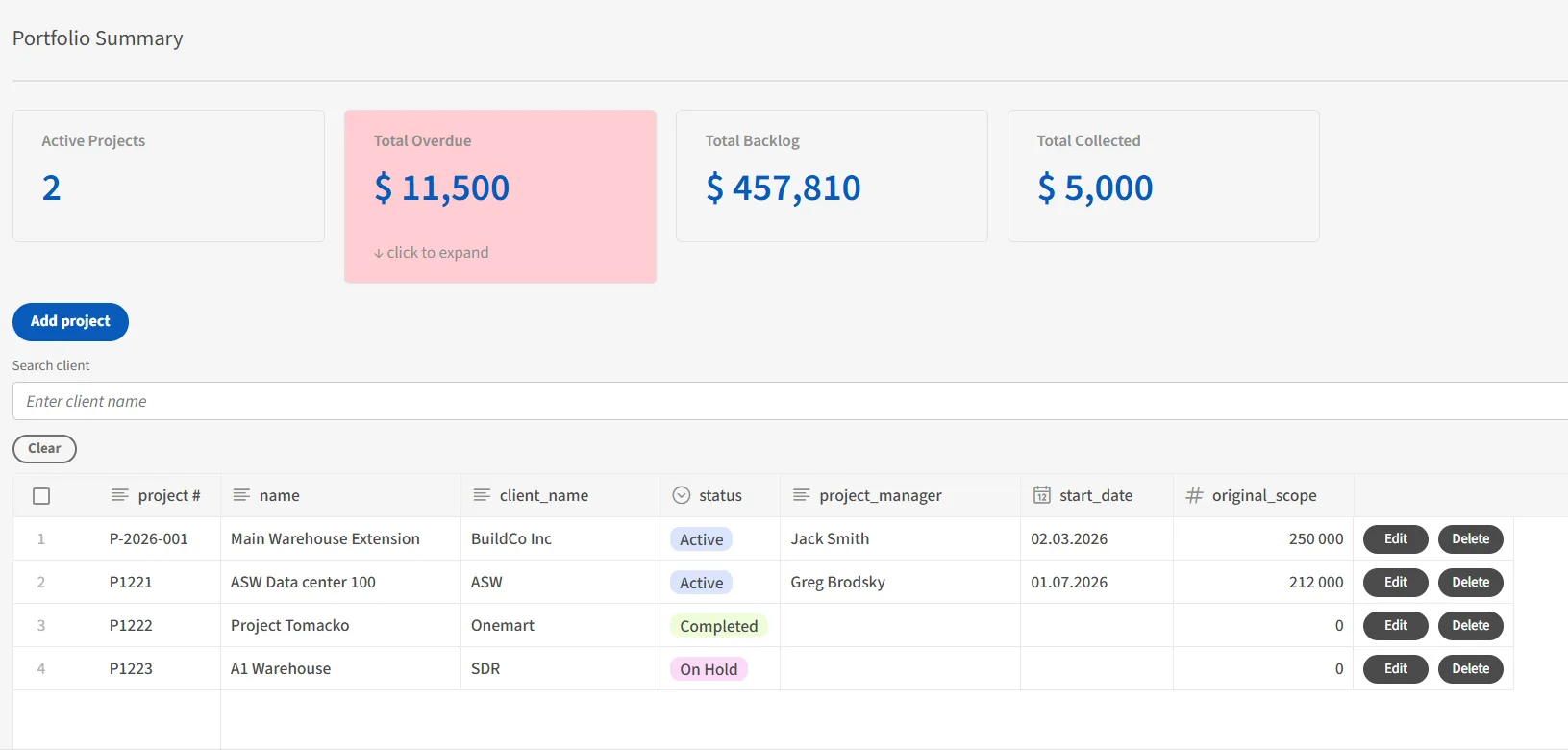
The portfolio view puts all active projects in one table: contract value, delivered work, what's still open. You stop asking three people for a status before a client call.
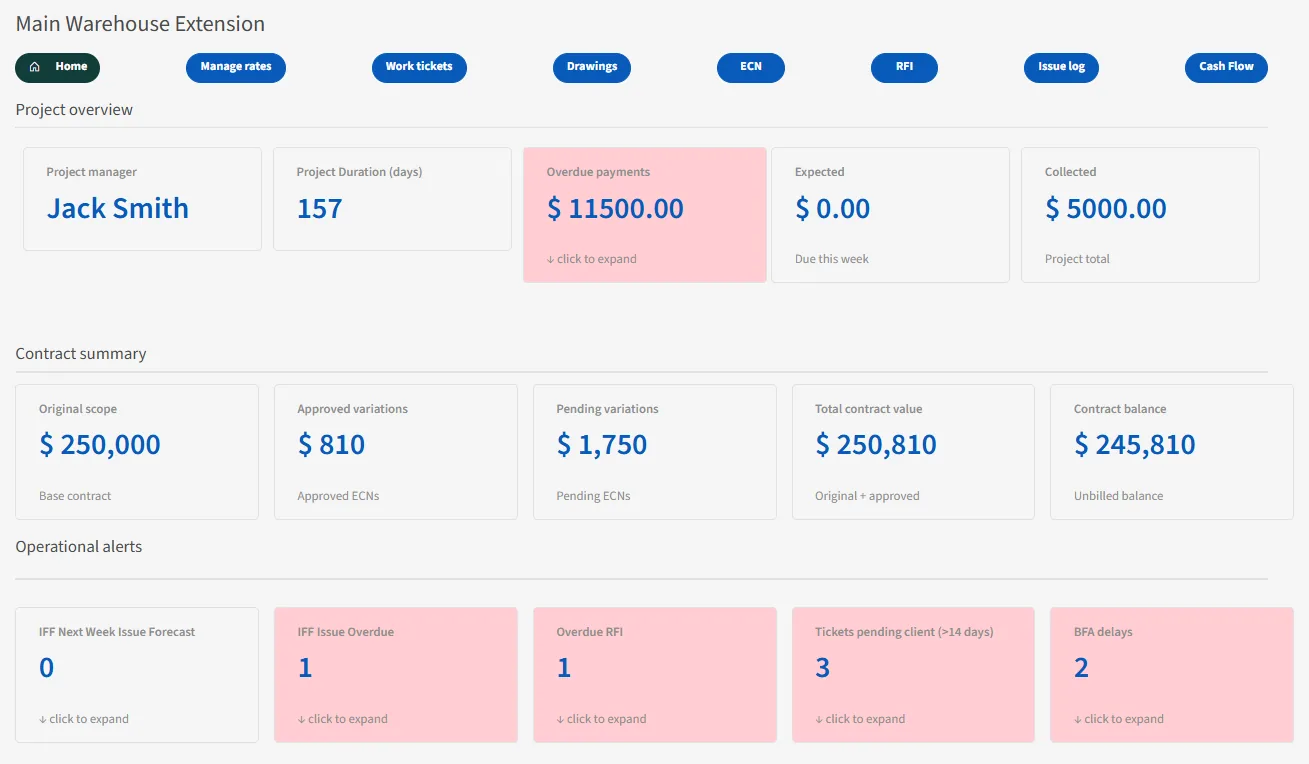
Health, alerts, and finances sit together on the project dashboard. What's late and what it's worth are the same conversation, so they live on the same page.

The contract summary keeps all three numbers visible at once. Approved variations raise the contract value the moment they're approved; pending ones stay in plain sight until someone answers.
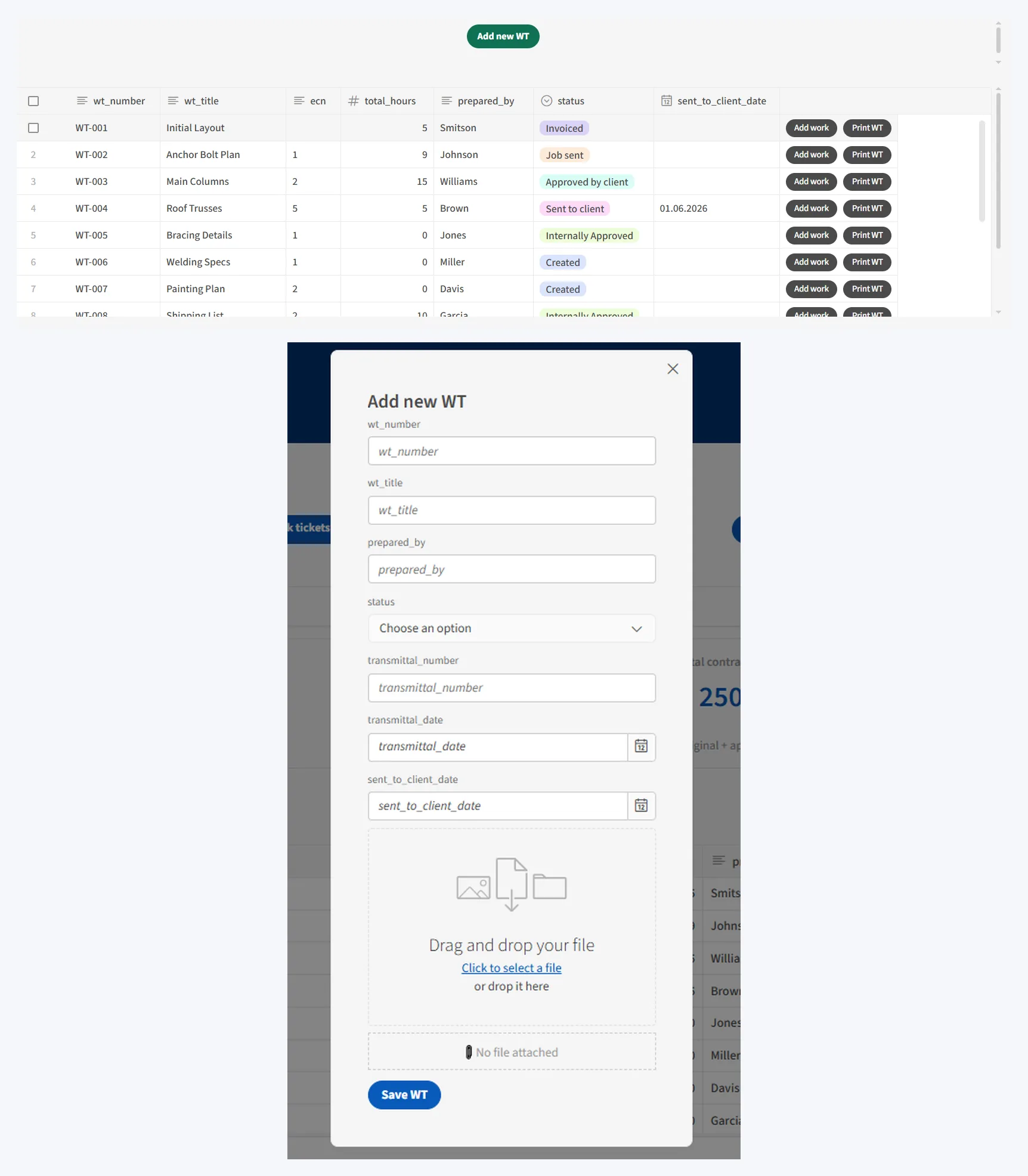
A work ticket is a unit of extra work — beyond the original scope. It records what was done, how long it took, and who prepared it. The list shows hours, not dollars. The amount is calculated on the printed sheet, from the hours and the rate behind them.
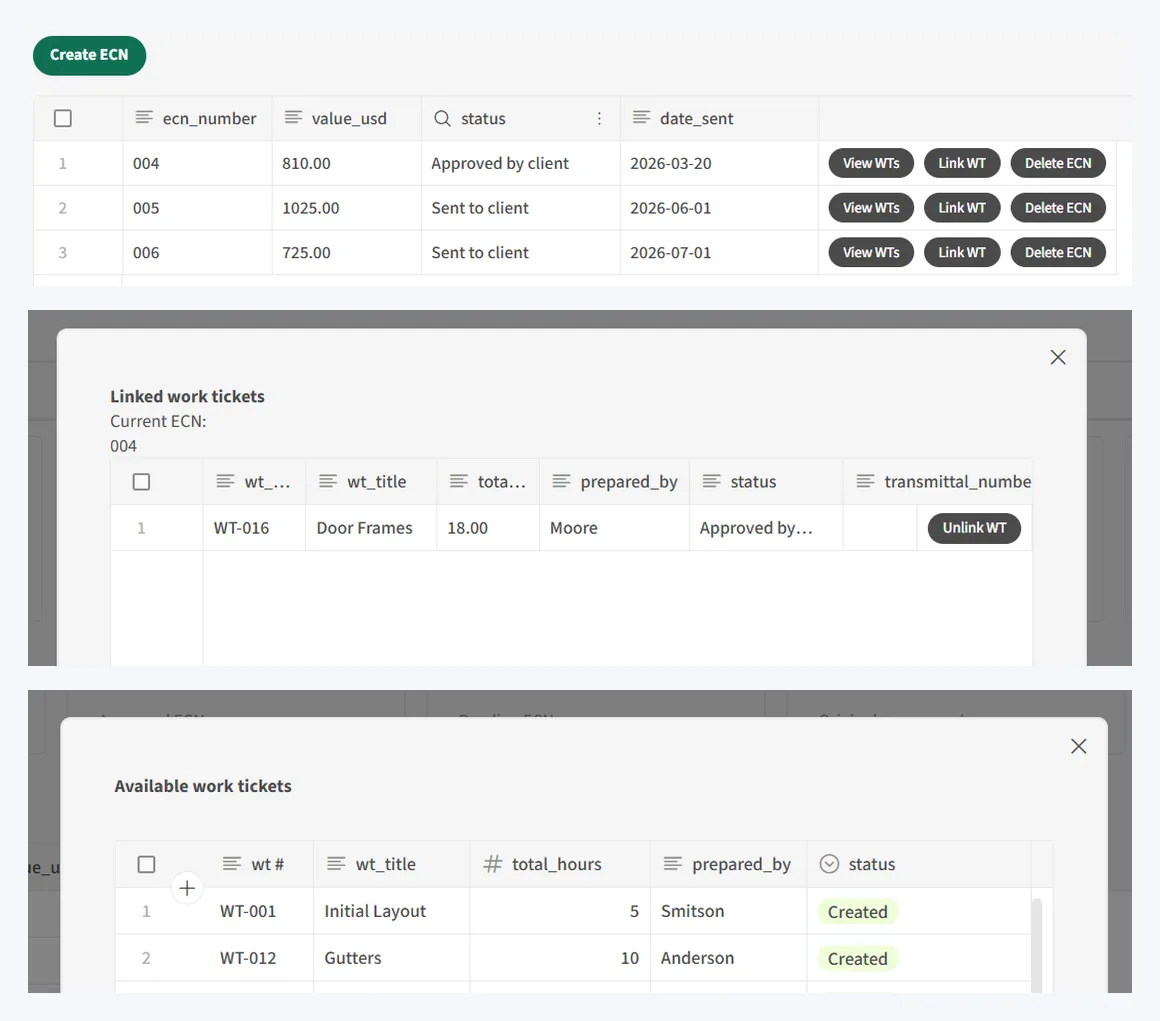
Tickets hold the hours; the ECN carries the value to the client. Attach tickets from the ECN side, detach them just as easily. One line decides where the money sits: before the client approves, it's a pending variation — after, it's part of the contract.

Five cards, each watching one thing that tends to slip: unanswered RFIs, tickets sitting with the client past two weeks, approvals not returned, releases overdue. Click a red card to see exactly which records are flagged. Nothing to dismiss — fix the record and the alert clears itself.
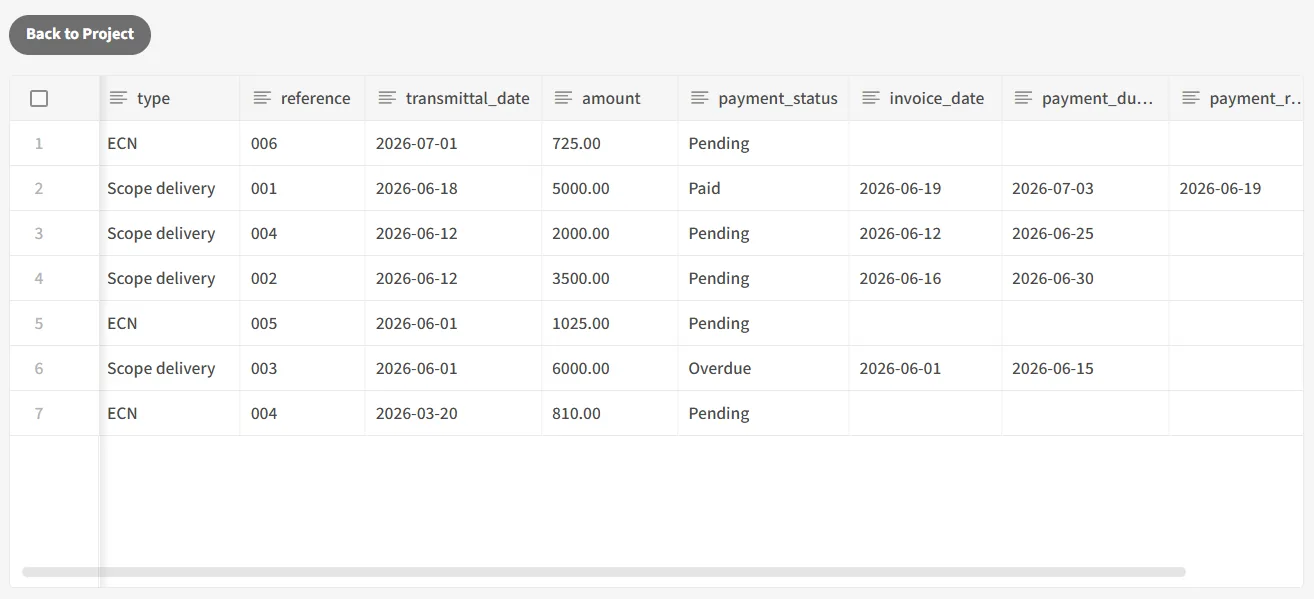
Changes billed as ECNs and deliveries of contracted scope, side by side with their payment status. Read-only by design — nothing is typed in here. It's assembled from the billing dates already recorded on each source record, so it can't drift from what actually happened.
Pyrgo is built lightweight on purpose — not one of the big bloated platforms that take months to roll out and cost a fortune. Just the pieces a small shop actually needs, priced for one.
Happy to send over a short deck and a quick video walkthrough — no call needed, just a look at what it does.
Request a walkthrough